Work breakdown structure (WBS): Levels, steps and examples


Summary
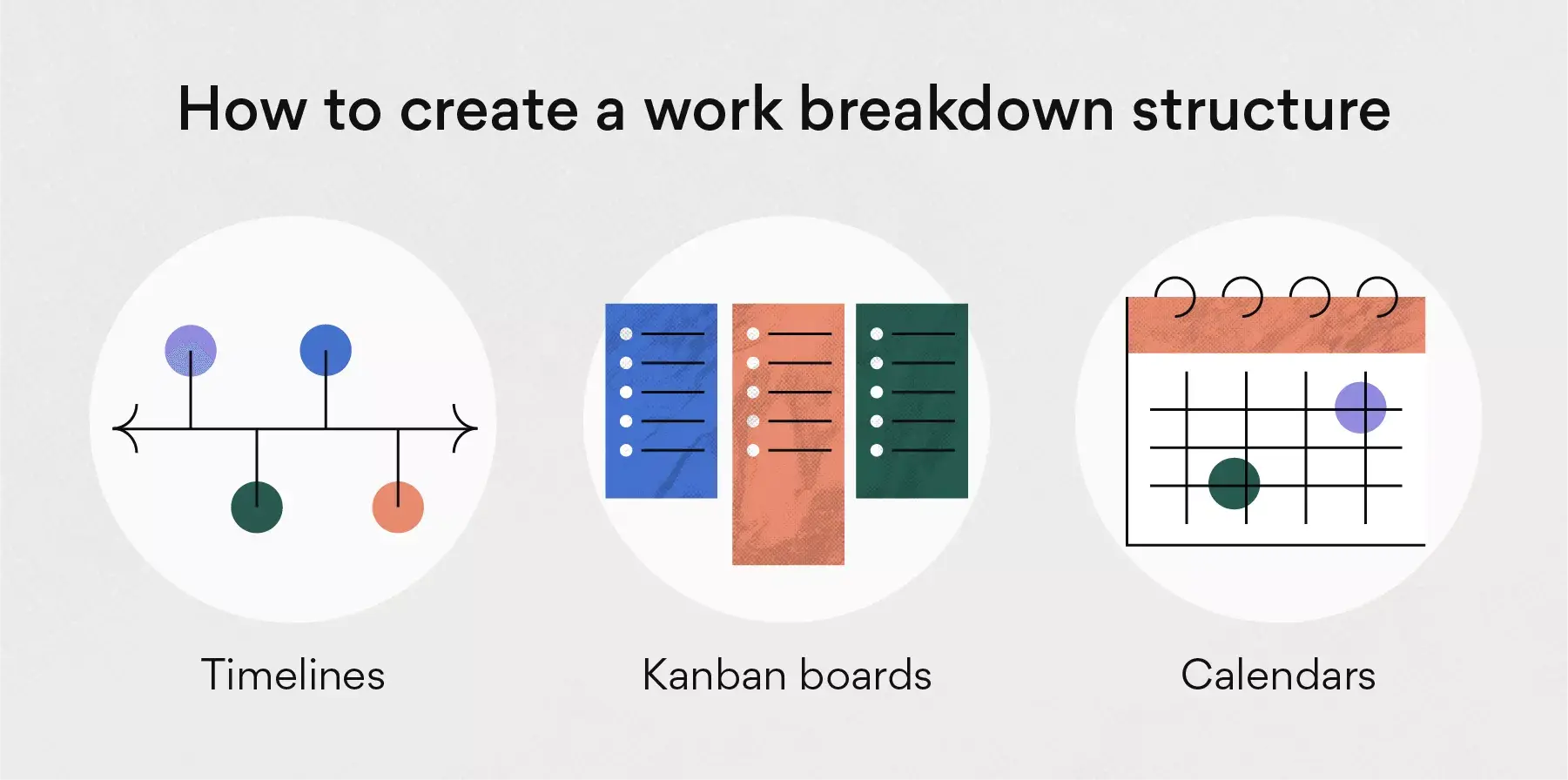
A work breakdown structure (WBS) is a way to visually break down a project. It starts with the overall scope and shows each deliverable, making it clear how everything fits into the main project. Since a work breakdown structure is displayed visually, it can be created using a combination of workflow management software and project management frameworks. Some of these methods include timelines, Kanban boards, and calendars.
In this guide, we’ll explain how to create a work breakdown structure, what to include, and give examples you can use in your own projects.
Master AI-Powered Workflow Optimization
Ready to revolutionize your team's productivity with AI you can trust? Join industry leaders from Asana and Anthropic to learn proven strategies for implementing AI across your workflow stages and unlock the full potential of Asana's AI Studio.
What is a work breakdown structure?
A work breakdown structure (WBS) is a hierarchical decomposition of a project's total scope into smaller, manageable deliverables. It visually organizes work from the top-level objective down to individual tasks, making it easier to plan, assign, and track progress.
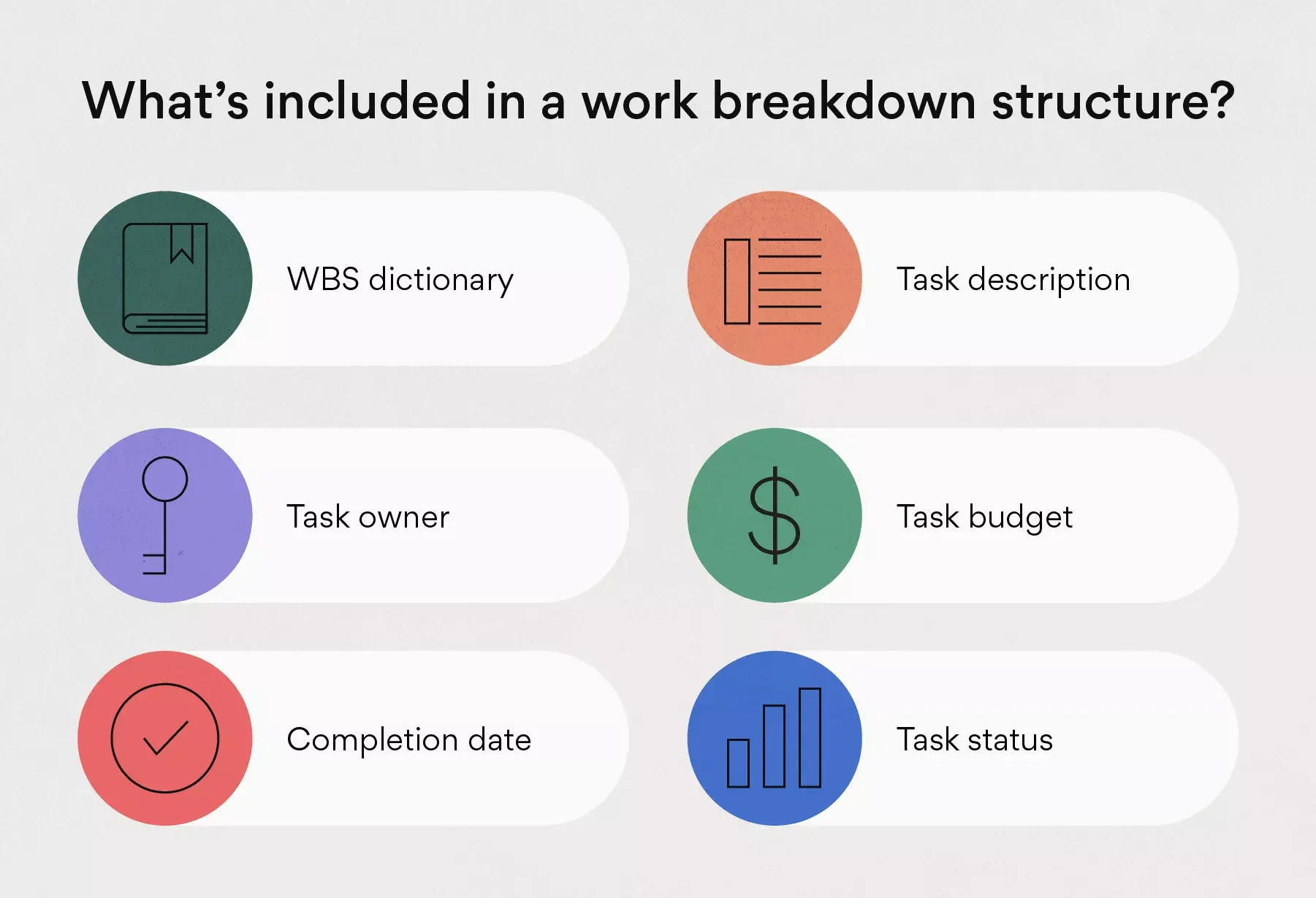
Every WBS is made up of a few core components:
WBS element | What to include | Why it matters |
|---|---|---|
WBS dictionary | A short description of each WBS element, including task names, deliverables, owners, budgets, milestones, approvals, dependencies, and status. | A WBS dictionary gives teams the details that don’t fit neatly into the visual chart. |
Task name | A brief name for each task or work package, usually just a few words. | Short task names make the WBS easier to scan and understand. |
Task description | A one- or two-sentence summary of the work and its goal. | Descriptions help team members understand what the work involves before they begin. |
Deliverable | The output the team needs to complete, such as a report, design, launch plan, or approved mockup. | Deliverables keep the WBS focused on what the project must produce. |
Task owner | The person or team responsible for completing the work and answering questions. | Ownership helps project managers know who to contact when work changes or deadlines shift. |
Task budget | The estimated cost for each task or work package, including what the team plans to spend and when. | Budget tracking helps teams compare planned costs with actual spending. |
Milestones | Important points in the project timeline, such as completed phases, approvals, or delivery dates. | Milestones help teams track progress toward larger project goals. |
Approvals | Are any review steps or sign-offs required before work can move ahead? | Approval details help teams avoid delays caused by missing feedback or decisions. |
Completion date | The target date or final date for each task, work package, or deliverable. | Completion dates help teams track timing and adjust plans when project details change. |
Task status | A progress label, such as open, in progress, in review, or complete. |
Project managers use work breakdown structures to help teams break down complex project scopes, visualize projects and dependency-related deliverables, and give team members a visual project overview. From there, you'll organize your structure based on the hierarchical levels of sub-deliverables. Your project might also include phases based on the work needed and the overall project timeline.
The two main types of work breakdown structure
Most work breakdown structures fall into two main categories: deliverable-based and phase-based. Both organize the total project scope into smaller parts, but they use different starting points. A deliverable-based WBS starts with what the team needs to produce, whereas a phase-based WBS starts with the project's major stages.
A deliverable-based WBS, also called a deliverable-oriented WBS, organizes work by project deliverables. For example, a website redesign WBS might include deliverables like brand guidelines, messaging, page designs, and photography. Use this format when the final outputs are known, and your team needs to break each one into smaller, manageable tasks.
A phase-based WBS organizes work by project phase or stage in the project lifecycle. For example, a software rollout WBS might include phases like planning, design, development, testing, launch, and post-launch. Use this format when the project follows a sequence of stages, especially if each phase has its own deliverables, owners, and deadlines.
You may also see related terms like cost breakdown structure, resource breakdown structure, risk breakdown structure, or organizational breakdown structure. Those tools can support project planning, but they serve different purposes. A WBS focuses on the scope of work required to complete the project, while related breakdown structures support cost estimation, resource allocation, or risk planning.
Why use a WBS in project management?

A WBS gives your team a way to plan and execute complex projects. Breaking large initiatives into smaller pieces helps you control scope, timelines, and resources more effectively.
Key benefits of using a WBS include:
Improved scope control: Defining every deliverable upfront reduces the risk of scope creep and missed requirements.
More accurate estimates: Breaking work into smaller components makes it easier to estimate time and costs.
Better team alignment: Everyone can see how their work contributes to the overall project objective.
Clearer accountability: Assigning owners to each work package ensures nothing falls through the cracks.
Easier progress tracking: You can monitor completion at each level to identify potential delays early.
No matter if you’re running a product launch, construction job, or marketing campaign, a WBS helps turn your ideas into actionable steps.
Read: Get organized fast with a free work breakdown structure templateWhat are the core levels of a work breakdown structure?
The levels in a WBS help separate work based on how each piece connects to the main project goal. Because every project is different, your WBS levels may vary depending on the project scope, timeline, and amount of detail your team needs.
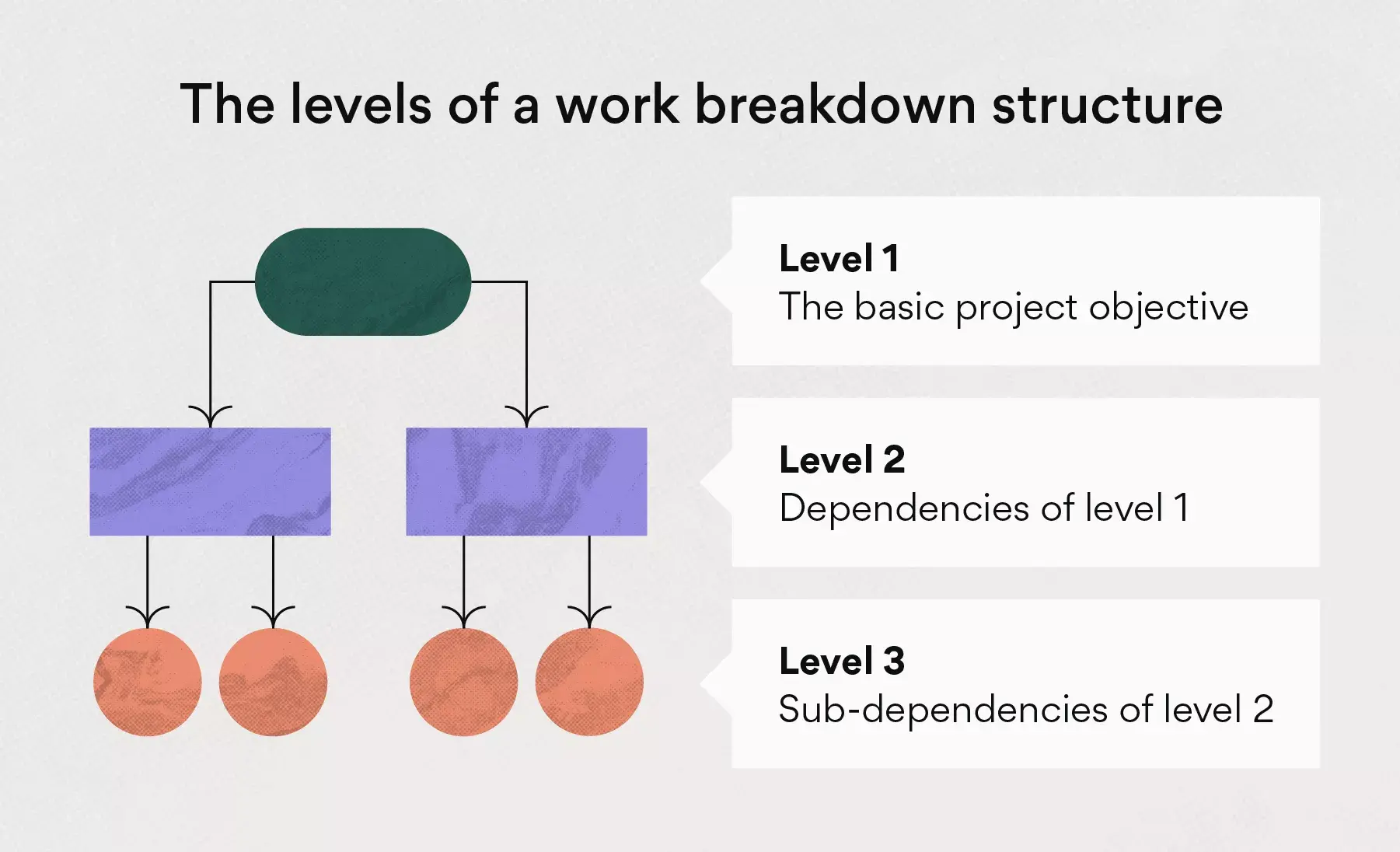
Many work breakdown structures use five core levels. Each level connects to the level above it, starting with the main project objective and breaking down into phases, deliverables, supporting work, and work packages.
Level 0: The project objective
The first level of a WBS is the simplest version of the project. It includes the project objective, which is usually the final goal or end product. Teams often use a statement of work, project charter, or scope statement to define this level before breaking the project into smaller parts.
For example, if your project team is revamping your website design, Level 0 might look like this:
Launch new website design
Level 0 gives your team the basic objective. The work needed to complete that objective appears in the levels below it.
Read: How to write an effective project objective, with examplesLevel 1: Key phases or deliverables
Level 1 breaks the project objective into major categories of work. Depending on your WBS type, these categories might be project phases, key deliverables, or functional workstreams.
For example, here are Level 1 categories for a new website design:
Brand updates
Messaging
Visual design
Photography
Level 1 provides your team with a high-level view of the key work required to complete the project.
Read: How to write an effective project objective, with examplesLevel 2: Major deliverables or tasks
Level 2 lists the major deliverables, tasks, or dependencies within each Level 1 category. These pieces of work help your team understand what needs to happen before each larger work area can be finished.
For example, here are Level 2 tasks needed to launch a new website design:
Host a creative brainstorming session
Revamp brand guidelines
Create a messaging approach
Redesign your logo
Add new photography
Level 2 adds more detail than Level 1, but it still keeps the project manageable before your team breaks work into smaller parts.
Level 3: Supporting tasks or activities
At Level 3, you break larger deliverables into smaller supporting tasks or activities. These pieces help teams see the specific work required before they define the final work packages.
Continuing the website design example, here are Level 3 activities:
Choose brand colors
Build a brand mood board
Assign UX designers
Build a mockup design
Review and approve mockups
Schedule a brand photoshoot
Resize and edit pictures
Level 3 helps teams review the work that supports each larger deliverable before assigning the lowest-level WBS elements.
Level 4: Work packages
Work packages are the lowest level of the WBS. Each work package should be specific enough for one owner or team to estimate, complete, and track.
For example, “build a mockup design” might become a work package with:
Owner: UX designer
Due date: June 15
Budget: $2,500
Status: In progress
Approval requirement: Design lead review
Work packages give teams the details they need to assign responsibility, estimate time and cost, and track work through completion. After creating work packages, teams may break them into smaller tasks or subtasks when they build the project management plan.
Nucleus Research: Cut project time in half with Asana
In this independent study, learn how Asana can reduce the time it takes to complete a project by 50%, minimize project errors by up to 90%, and more.

How to create a work breakdown structure
A work breakdown structure helps teams turn a complex project into smaller pieces of work that they can plan, assign, estimate, and track. Use these steps to define your project scope, organize deliverables, and choose a visual format your team can use throughout the project.
To save setup time, start with a WBS template already formatted for timelines, boards, or calendars.
Step 1. Define the project scope
Start with the overall project goal. Identify what the project includes, what it excludes, and what the team needs to deliver by the end of the work. For example, if your team is redesigning a website, the project scope might include new brand guidelines, updated messaging, page designs, photography, and launch support. It might exclude work like a full content audit, paid media updates, or ongoing site maintenance.
Step 2. Review project documents
Review the documents that explain the project’s goals, requirements, and limits. Depending on the project, those documents might include a statement of work, a project charter, a project management plan, a scope statement, or a stakeholder brief.
These documents help you identify important details before you start breaking work into smaller pieces, including:
Project goals
Required deliverables
Timeline requirements
Cost estimations
Approval needs
Known risks
Stakeholder responsibilities
Step 3. Identify the main deliverables or phases
Next, decide how you want to organize the first level of your WBS. A deliverable-based WBS groups work by what the team needs to produce, while a phase-based WBS groups work by major project stages.
For a website redesign, a deliverable-based WBS might include:
Brand guidelines
Messaging
Page designs
Photography
Launch plan
A phase-based WBS might include:
Planning
Design
Build
Review
Launch
Choose the structure that makes the project easier to plan and manage.
Step 4. Break deliverables into smaller work packages
![[Old Product UI] Product marketing launch project in Asana, spreadsheet-style view with project deliverables (Lists)](https://assets.asana.biz/transform/f8492eda-b918-4cf6-868a-556899ee6d63/inline-what-are-project-deliverables-4-2x?io=transform:fill,width:2560&format=webp)
Break each major deliverable or phase into smaller pieces of work. Keep going until each work package feels specific enough for one owner or team to estimate, complete, and track.
For example, “page designs” might break down into:
Homepage mockup
Product page mockup
Blog page mockup
Navigation design
Mobile design review
Avoid breaking work into pieces that are too small to manage. If a work package takes only a few minutes, you may have gone too far. If it feels too broad to estimate, break it down again.
Step 5. Assign owners, dates, budgets, and status
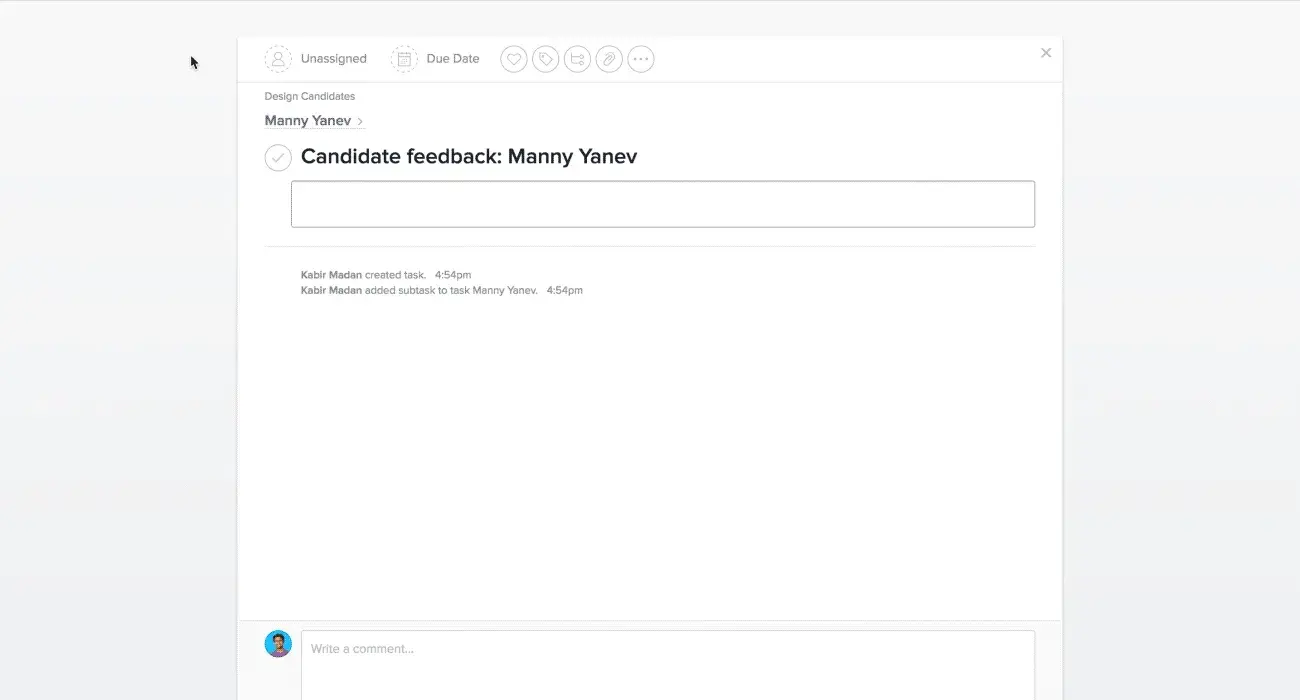
Add the details your team needs to manage each work package. At a minimum, each work package should have an owner, a due date, and a status.
Depending on the project, you may also want to add:
Estimated hours
Approval requirements
Priority
Risk level
Supporting files
Ownership matters because every work package needs someone responsible for questions, updates, and completion.
Step 6. Create or update the WBS dictionary
A WBS dictionary gives your team more detail than a visual chart can show. Use it to define each work package and document the information people need to complete the work correctly.
A WBS dictionary can include:
Work package name
Short description
Owner
Deliverable
Due date
Budget
Dependencies
Approval requirements
Status
Keep entries short and practical. The dictionary should help people understand the work without turning into a long project document.
Step 7. Map dependencies and review for missing work
Review your WBS before the project begins. Look for missing deliverables, duplicate work, unclear ownership, and dependencies that could affect timing.
Ask questions like:
Does every deliverable in the project scope appear in the WBS?
Does each work package support a larger deliverable or phase?
Does each work package have an owner?
Do any tasks depend on work that has not been added?
Did we include any work outside the project scope?
Use the 100% rule as your guide: the WBS should include all work required to complete the project, with nothing extra added.
Step 8. Choose a WBS format
After you define the work, choose a visual format that fits how your team plans, schedules, and tracks projects.
![[Product ui] Gantt chart project, organized timeline view in Asana with dependencies and due dates (Timeline)](https://assets.asana.biz/transform/aa091ca9-b87c-4fb0-96ad-47453f5473df/inline-project-management-gantt-chart-basics-2-2x?io=transform:fill,width:2560&format=webp)
Format | Use when | How it helps |
|---|---|---|
You want to show the WBS as a hierarchy during early planning. | A tree diagram shows how the project objective breaks into deliverables, supporting tasks, and work packages. | |
You need to plan dates, dependencies, milestones, and deadline changes. | Timeline views help teams see task timing, connected work, and critical paths that could affect the final deadline. | |
Your team manages work by status. | Boards help teams review active work, sort tasks by stage, and move items from open to in progress to complete. | |
Your project depends on due dates, scheduled milestones, or time-sensitive deliverables. | Calendars help teams review upcoming work by day, week, or month. | |
Your project depends on repeated steps, handoffs, or approvals. | Flowcharts work best as a companion to your WBS because they show process order, while a WBS shows work hierarchy. |
Your WBS format may change as the project develops. Start with the structure that helps your team define the work, then use the format that makes planning and tracking easier. You can start your WBS by importing an existing spreadsheet or building it directly in timeline software. It's up to you to decide which visual is right for your team.
Read: 3 visual project management layouts (and how to use them)WBS rules and best practices
Best practice | What it means | How to apply it |
|---|---|---|
Follow the 100% rule | Your WBS should include all work required to complete the project, with nothing extra added. | Review the WBS against the project scope. Add missing deliverables, and remove work that does not support the approved project. |
Use the 8/80 rule | Each work package should generally take between 8 and 80 hours to complete. | Break down work packages that take more than 80 hours. Combine or simplify items that take less than 8 hours when they add too much detail. |
Focus on deliverables | A WBS should show what the team needs to produce, not every small action someone will take. | Use deliverable-based wording, such as “approved homepage mockup,” instead of action-based wording, such as “schedule design meeting.” |
Assign one owner | Every work package needs one person or team responsible for updates, questions, and completion. | Add an owner to each work package so the project manager knows who to contact when work changes or deadlines shift. |
Document details in a WBS dictionary | A visual WBS can’t hold every detail your team needs. | Use the WBS dictionary to document descriptions, owners, deliverables, deadlines, budgets, dependencies, risks, and approval requirements. |
Review dependencies | Some work packages depend on approvals, handoffs, budget decisions, or work from another team. | Review dependent work before the project begins so your team can plan the right order and spot timing risks early. |
Update the WBS when scope changes | A WBS should reflect the current project scope. | When stakeholders add, remove, or change deliverables, update the WBS and note how the change affects owners, deadlines, budgets, or dependencies. |
Work breakdown structure example
Now that you know what goes into a WBS and how to build one, let's look at a tangible example. While your template will look different depending on the method you use, your WBS should include similar task hierarchies and levels.
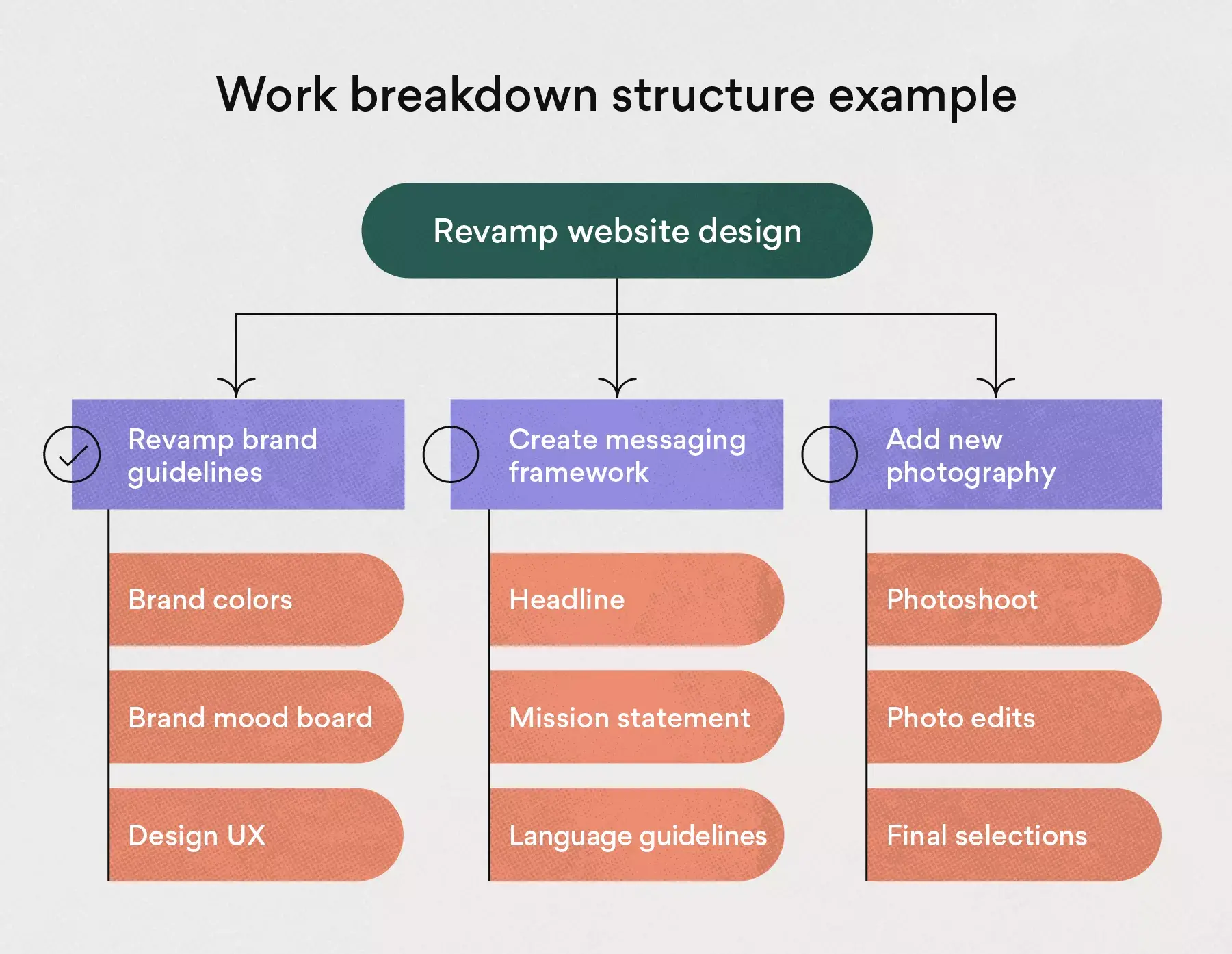
Here is an example work breakdown structure to get you started:
WBS name: Website design
Description: Revamp our old website design to align with the new branding.
Completion date: 9/15/21
Budget: $50,000
Level 1:
Revamp website design
Level 2:
Revamp brand guidelines (Complete)
Create messaging approach (Complete)
Redesign logo (In progress)
Add new photography (Open)
Level 3:
Revamp brand guidelines
Brand colors, Kat Mooney
Brand mood board, Kat Mooney
Design UX, Ray Brooks
Create a messaging approach
Headline, Daniela Vargas
Mission statement, Daniela Vargas
Language guidelines, Daniela Vargas
Redesign logo
Sketch, Kabir Madan
Mockups, Kat Mooney
Final designs, Kat Mooney
Add new photography
Photoshoot, Kabir Madan
Photo edits, Kat Mooney
Final selections, Kabir Madan
Remember that your WBS will look different depending on the project's size, complexity, timeline, and the software you use.
Build your work breakdown structure with Asana
A work breakdown structure isn't hard to create once you get the hang of it. By adding a visual hierarchy to your project, you and your team gain clarity and focus on work that matters. With Asana, you can easily switch between lists, timelines, boards, and calendars without missing a beat. Spending less time on busywork means more time for impactful work.
Get started and see how Asana can help you build better projects.
See Asana in action